
Virtual Staging for Real Estate Listings
Upload a photo of an empty room, choose a style, press RUN. PROMOREALTOR furnishes it in about 30 seconds for one credit (€1). No subscription.
1 credit (€1) a photo. No subscription.
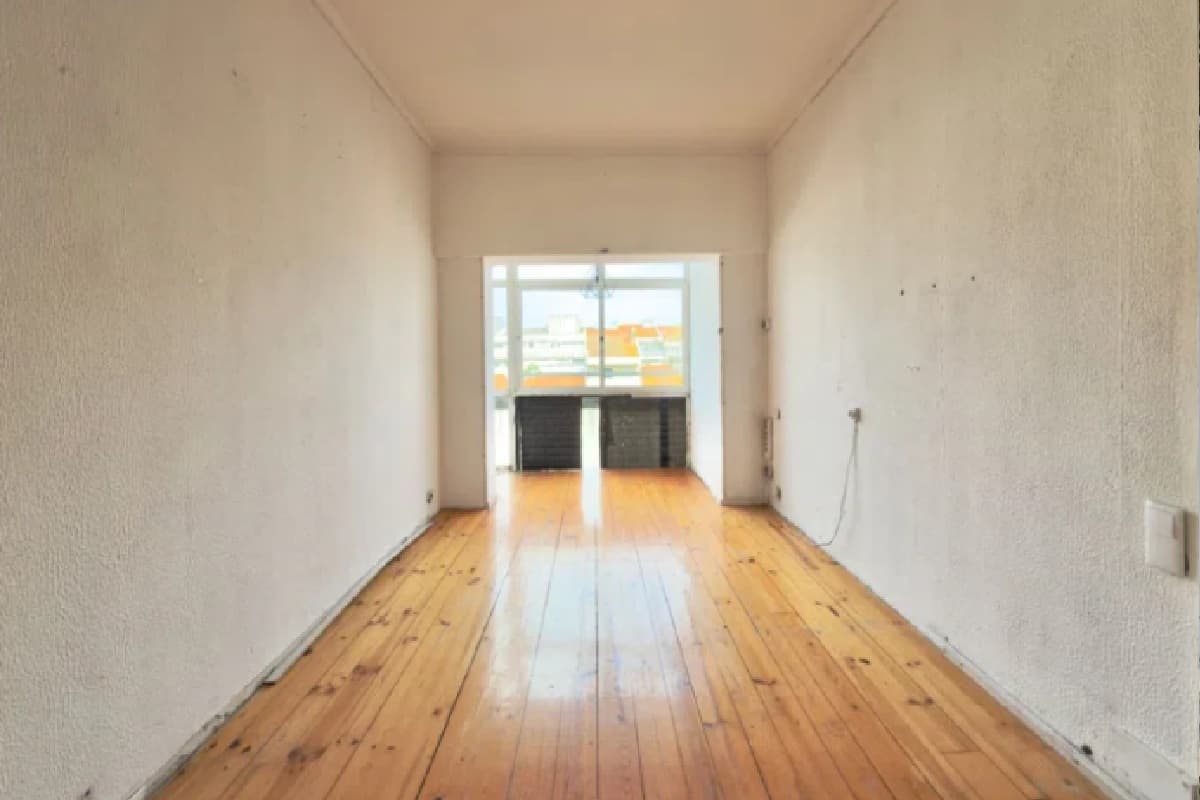 Before
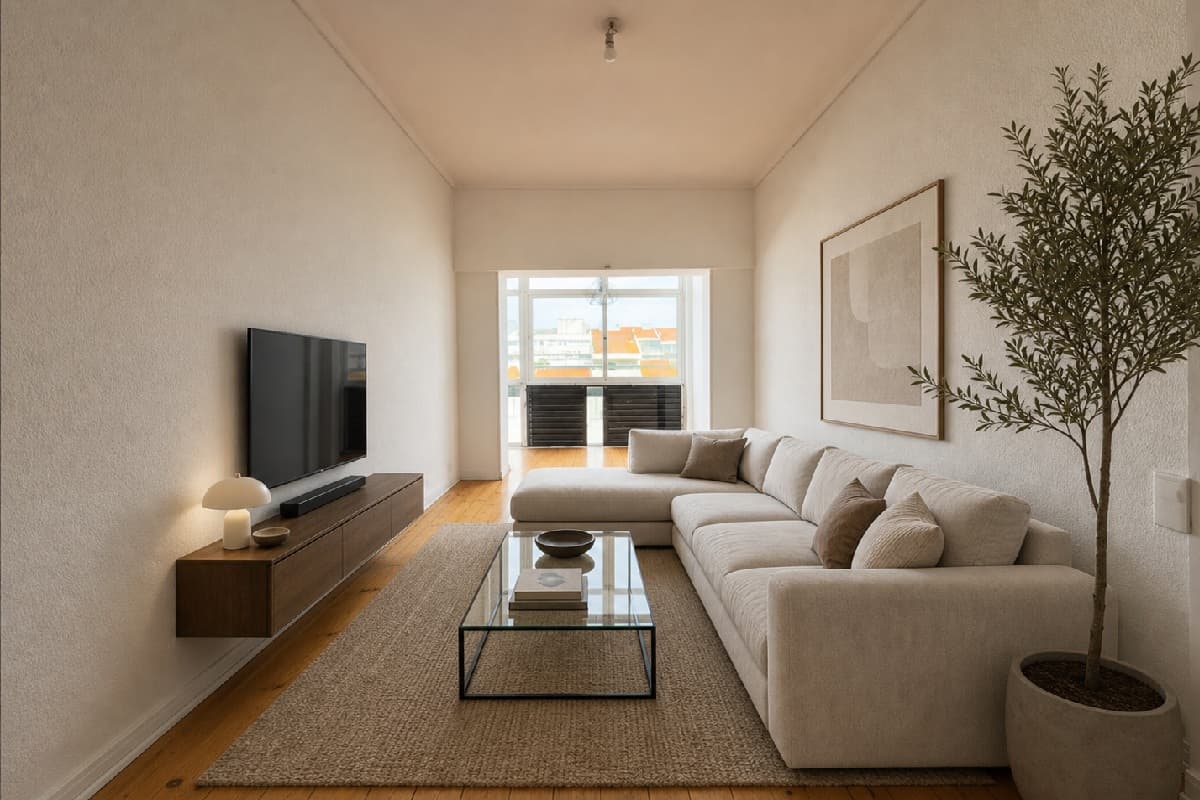 After
AfterVirtually stage an empty apartment or house
Empty rooms are hard to read in a photo: buyers cannot judge size or use. Virtual Staging adds furniture to the room you photographed and keeps the room itself. In the example the layout, the floor and the window stay where they were and the furniture is new. Compare the walls too: they look cleaner than in the original and a loose cable is gone. That is the kind of change to look for before you publish.
Pick a style for the room, press RUN, and download the result. A room in three styles is three credits, which is a cheap way to see which one suits the buyer you expect.
Virtual interior redesign for occupied listings
A furnished room can look dated even when it is clean. Interior Style Transformation restyles a room you upload in one of nine styles: Modern, Minimalist, Scandinavian, Industrial, Loft, Traditional, Mediterranean, Coastal and Bohemian.
Add Details makes a lifeless render feel lived-in, and Renovation repairs broken parts, with an optional reference image.
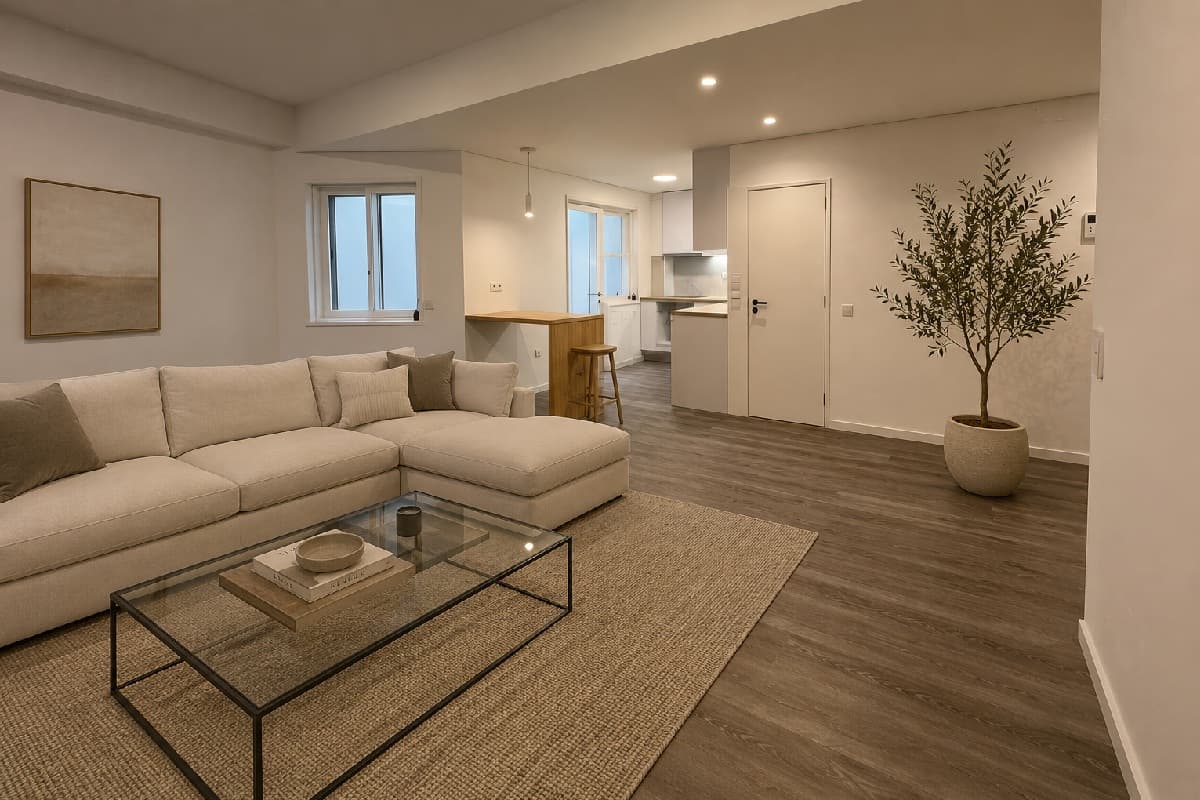 Before
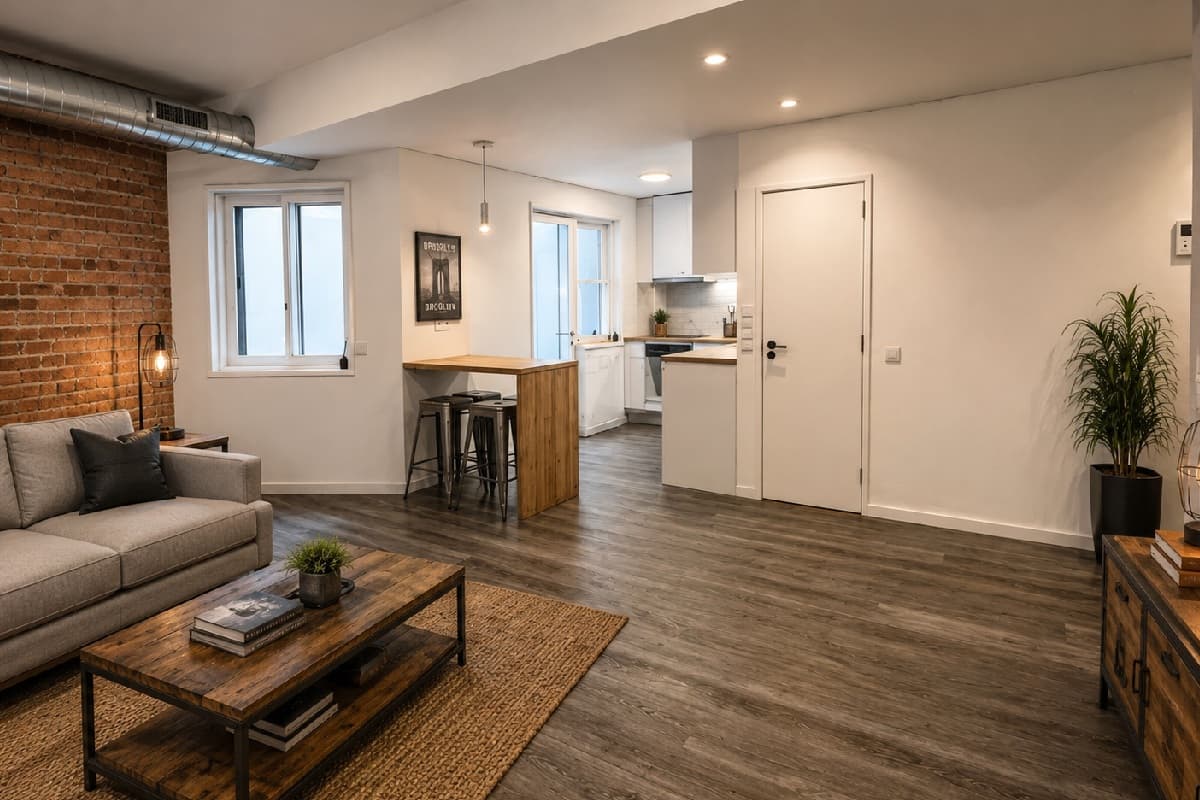 After
AfterAI virtual staging for real estate: what it can and cannot do
It is fast and cheap, and it is not magic. The output is generated, so check each result against your photo before you publish it.
- Check scale: furniture should fit the room and sit on the floor with believable shadows.
- Check the fixed parts: walls, doors, windows, light fittings and floors should match the original. An AI render can quietly clean a wall or add a ceiling light.
- Do not stage over damage or hide a defect the buyer must be told about.
- Label it. Many MLS boards require virtually staged photos to be marked, and the "Mark as edited with AI" option does it for you.
Need the room emptied first?
If the room has furniture you do not want, empty it first with Empty This Room, then stage the result. Add and remove are separate tools because they are different jobs.
See the results
Real outputs, side by side, are in the virtual staging before and after gallery. The same one-click approach covers the rest of the photo: sky, light and perspective.
Frequently asked questions
Is virtual staging allowed on MLS listings?
It depends on your board. Many allow it if the photo is clearly marked as virtually staged, some restrict it. Check your MLS rules, and use the "Mark as edited with AI" option when disclosure is required.
What if an edit fails, or I do not like the result?
A failed edit is refunded to your credit balance automatically. AI output is not guaranteed to be perfect on the first run: if you simply want another version, run it again at the tool's normal price.
Which files can I upload?
JPG, PNG or WEBP, up to 25 MB each. RAW files are not supported, so export to JPEG first. Results come back as full-resolution PNG.
How much does it cost?
One credit is €1 and one photo edit costs one credit. There is no subscription: buy a pack (10, 20, 50, 200 or 500 credits) or top up any amount from €1. VAT is added at checkout. See the pricing page for every tool.
Keep going
Decluttering
Remove furniture, clutter, cars and bins from listing photos in about 30 seconds. €1 a photo, no subscription, no editor to learn.
Photo editing
Replace the sky, fix perspective, relight, declutter and enhance listing photos in about 30 seconds. €1 a photo, no subscription, no editor to learn.
Virtual staging cost
Virtual staging prices checked on vendor pages: human designers $16 to $30 a photo, AI from about $0.50, physical staging in the thousands, and hidden costs.
Staging before and after
Real before and after virtual staging results: what the AI changed, what it quietly fixed, and a seven-point check before you publish, with disclosure rules.