
The Best Virtual Staging Software in 2026: 9 Tools Compared
By PROMOREALTOR · Updated · 14 min read
Nine tools, read on their own pricing pages on 7 November 2026. One of them is ours, so we say plainly where the others are the better buy. The short version: the cheapest tool depends on how many rooms you stage a month, not on the headline price.
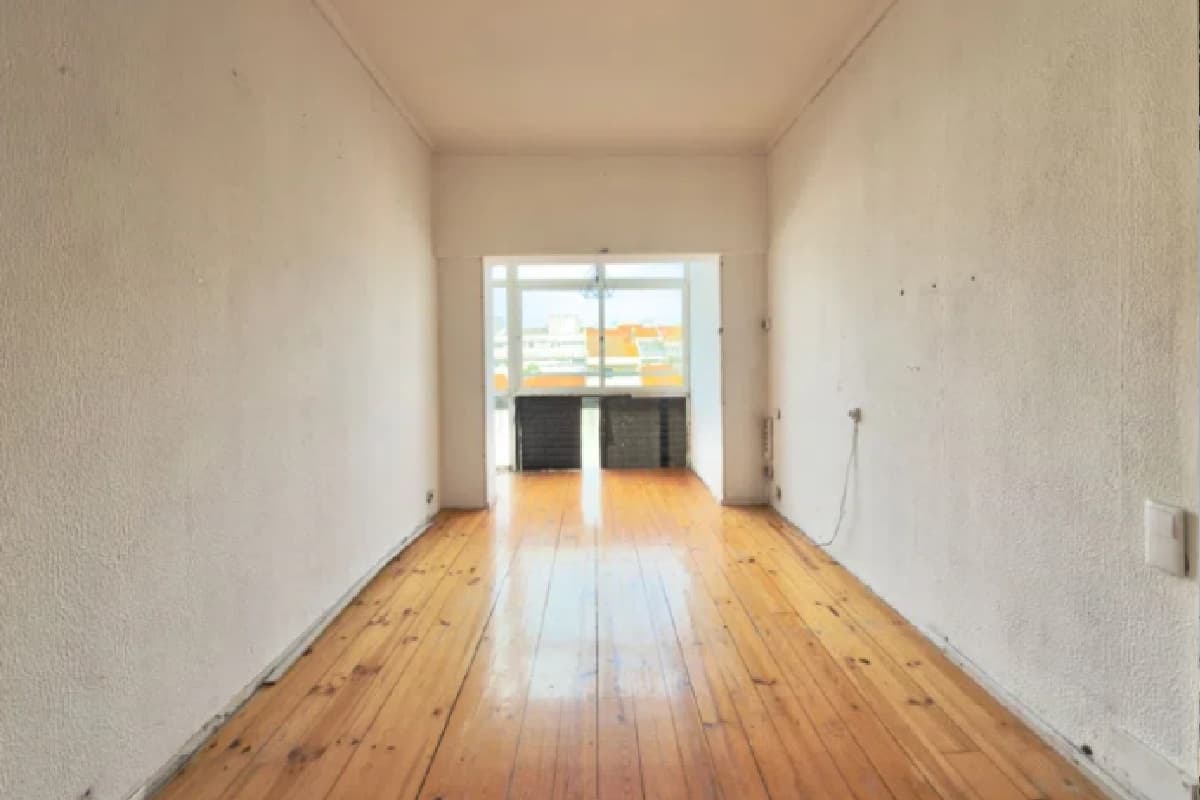 Before
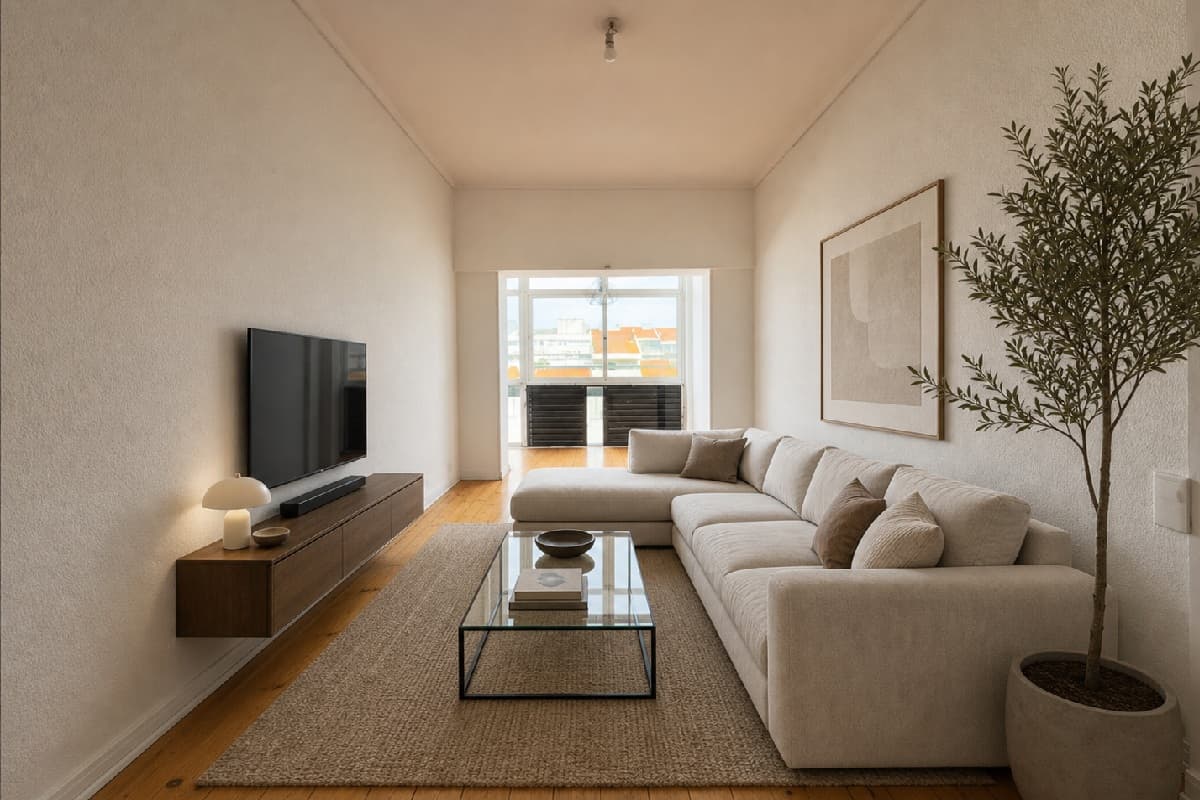 After
How we compared them
We read each vendor's own pricing and product pages on 7 November 2026 and wrote down what they say, with the link. Where a page did not answer a question, the table says so rather than guessing. Prices are shown in the currency the vendor shows; most show dollars without naming the currency.
We looked at six things an agent actually feels: how you pay (plan, coins, per listing or per photo), what one staged photo costs at low volume, what else the tool does beyond adding furniture, whether it makes video, how you can try it for free, and what happens to credits you do not use.
The nine tools at a glance
| Tool | How you pay | Entry price | Beyond staging | Free start |
|---|---|---|---|---|
| Virtual Staging AI | Monthly plan | $16 a month for 6 photos 1 | Furniture removal 1 | Free image editing trial 1 |
| Collov AI | Monthly plan | $19 a month for 60 credits 3 | Declutter, twilight, seasons, lawn; tours on Premium 4 | Per-tool trials with a watermark 3 |
| REimagineHome | Monthly plan | From $14 a month for 30 credits 5 | 24 solutions, shoppable furniture 6 | 5 free designs, no card 5 |
| Pedra | Monthly or yearly plan | €29 a month for 100 credits 7 | Unlimited videos, 360° tours, floor plans 7 | 7 credits, 1 video, 1 tour 7 |
| Apply Design | Coins, no subscription | $7 to $10 a coin 9 | 360° images, furniture removal 9 | First image free 9 |
| Gepetto | Monthly or yearly plan | $36 a month (Pro) 10 | Room clearing, sky, walls and floors, landscaping, video 10 | A few free renders 10 |
| Fotello | Per listing | $0 a listing with Fotello branding 11 | Twilight and staging on the top plan 11 | Free plan up to 30 photos 11 |
| Styldod Expert Services | Per image, human | From $16 an image 12 | Enhancement, object removal, day to dusk, floor plans 12 | Not on the page we read |
| PROMOREALTOR | Per photo, no subscription | €1 a photo, top-up from €5 13 | 32 photo tools, listing video, ad builder 13 | One free credit on e-mail confirmation 13 |
Read on the vendors' own pages on 7 November 2026. Vendors change prices and some pages localise by country: check before you buy.
Virtual Staging AI
A focused staging tool sold as a monthly plan: $16 for 6 photos, $19 for 20, $39 for 60 and $79 for 150, with yearly billing up to 50% off 1. Renders take about ten seconds, renders and downloads are unlimited, and furniture removal is included on every plan 1.
Best for an agent or team that stages 20 or more photos every month and only needs staging. Watch for the month you do not list: the plan still bills. The FAQ lists a question about rollover, but the page we read showed no answer 2.
Collov AI
The widest toolset in this list. Plans run $19 for 60 credits, $49 for 150, $79 for 263 and $127 for 526 3. Staging is 1 credit with unlimited regeneration and no watermark on paid plans, but other tools cost 3 to 20 credits an image 3. The AI tools menu covers furniture eraser, declutter, enhance, seasons, rain to shine, natural and virtual twilight, night to day, pool water and lawn replacement 4. Premium adds virtual tours of up to 20 images and 360° panoramas 3.
Best for high volume and agents who want tours in the same subscription. Watch for the credit price of each tool: a month of mixed edits uses credits much faster than a month of staging.
REimagineHome
A monthly credit plan from $14 to $99 for 30 to 900 credits 5. A visualisation is one credit, or two with real products you can buy, and new users get 5 free designs without a card 5. The product page describes batches of up to 50 photos sorted by room in 2 to 5 minutes, 24 solutions including object removal, sky replacement and day to dusk, and shoppable furniture with links to the shops 6.
Best for agents and designers who want furniture a buyer can actually purchase, and teams that process whole listings in one batch. Watch for the plan prices: the text we could read did not split the $14 to $99 range by plan.
Pedra
A euro plan built around the whole listing: €29 a month for 100 credits, or €239 a year for 1,200 7. Staging and enhancement are 1 credit, a floor plan render 2 and an animated photo 5, while videos, 360° tours, 2D floor plans and social publishing are listed as unlimited and use no credits 7. New users get 7 image credits, one video and one tour without a card 7. The product page mentions more than 20 editing tools, a mobile app and an API 8.
Best for agents who make a video or a tour for most listings and run more than about 30 edits a month. Watch for quiet months, when the plan still bills.
Apply Design
No subscription: you buy coins at $10 each for up to 9, $8 for 10 to 19 and $7 for 20 or more 9. Do-it-yourself staging is 1 coin per image and automatic staging 1.5 coins, 360° images cost 2 to 2.5 coins, the first image is free, and automatic staging takes about ten minutes 9. Revisions are unlimited and furniture removal is listed 9.
Best for agents who want to place furniture themselves and pay only per image. Watch for the price per image, which is several times an AI plan: you are paying for control and revisions.
Gepetto
A plan-based tool: Pro is $36 a month or $429 a year with 40 Smart credits and 150 re-styles, Agency is $82.50 a month or $990 a year with 100 Smart credits and 4K output, and Enterprise is by quote 10. Tools cover staging, room clearing, sky, walls and floors, re-styling, enhancement, landscaping and video, and the site is in English and French 10.
Best for agencies that want 4K output and a French interface. Watch for the entry price, the highest of the AI plans here.
Fotello
Priced per listing rather than per image, which suits photographers. The free plan is $0 a listing for up to 30 photos with Fotello branding; Essential is $16 a listing billed on 75 listings ($1,200 a month) with up to 50 photos and unlimited human revisions, and Ultimate adds twilight and staging creations 11. Unused credits roll over for the term, the only rollover rule we found stated on a pricing page 11.
Best for photographers and studios who deliver whole listings at volume. Watch for the commitment: the paid plans bill on 75 listings a month.
Styldod Expert Services
Human designers rather than a model. Virtual staging starts at $16 an image, commercial staging at $24 and virtual renovation at $5, with custom quotes for bulk 12. Delivery is 24 to 48 hours, rush is available and revisions are unlimited 12. Styldod also runs REimagineHome, its self-serve AI tool.
Best for the high-value listing where one hero photo must be right, and anyone who wants a person to check the result. Watch for time: a day or two, against seconds to minutes for the AI tools.
PROMOREALTOR
Ours. One credit is €1 and every photo tool costs one credit: staging, emptying or decluttering a room, a blue sky, day to dusk, straight walls, a floor plan turned 3D 13. There is no subscription; you top up from €5, and packs of 200 and 500 credits are 10% and 20% cheaper 13. A result takes about 60 seconds, a failed edit is refunded automatically, and credits stay valid 12 months after your last top-up. The same account turns the photos into a listing video (VIDEO LISTING, 1 credit an export) and into posts, carousels and flyers (PHOTO LISTING, free up to 30 downloads every 30 days) 13.
Best for agents who stage a few rooms a month and also need the rest of the listing fixed, filmed and posted. Watch for volume: above about 20 stagings a month a plan such as Virtual Staging AI or Collov is cheaper per photo, and we make no 360° tours.
Which one for which agent
Start from how often you stage, then from what else the listing needs. Side-by-side pages with our own numbers: Virtual Staging AI, Collov, REimagineHome and Pedra.
| You are | Look at first | Why |
|---|---|---|
| An agent who stages a few rooms a quarter | PROMOREALTOR, Apply Design | Pay per image, nothing billed in a quiet month 13 9 |
| A team staging every week | Collov AI, Virtual Staging AI | The lowest price per photo once the plan is used up 3 1 |
| An agent who films most listings | Pedra, PROMOREALTOR | Video included in the plan, or 1 credit an export 7 13 |
| A photographer delivering whole listings | Fotello | Priced per listing, credits roll over 11 |
| Selling one listing where the photo decides it | Styldod Expert Services | A human designer and unlimited revisions 12 |
| Working with buyers who want to buy the furniture | REimagineHome | Shoppable products in the render 6 |
A simple test settles most cases. Take the number of rooms you staged last month, divide each plan's price by it, and compare that with a per-photo price. If last month was a guess, take the lowest of the last three months: plans are priced for the busy month, and you pay them in the quiet one too.
If a listing needs more than staging, add up the whole job rather than the staging line alone. Many listings need a sky or a dusk shot for the front, one or two rooms emptied or furnished, the walls straightened in a wide-angle shot, and a video for social media. On a plan that charges more credits for tools other than staging, that mix can cost several times what the headline price suggests 3.
What to check before you pay
- Watermarks on the free tier. Collov marks its free trials 3; Fotello's free plan carries its branding 11. Fine for testing, not for publishing.
- Credits per tool. A plan that charges 1 credit for staging and 3 to 20 for other edits is a different price for a mixed listing 3.
- Rollover. Only Fotello stated a rollover rule on the pages we read 11. Ask before you buy a yearly plan.
- Currency and VAT. Most tools show dollars without naming the currency; Pedra and PROMOREALTOR show euros 7 13. In the EU, check whether VAT is added at checkout.
- Commercial use. Look for a commercial licence on the plan you pick; Collov lists one on Standard 3.
- Your own photos. Run the same three photos (an empty room, a furnished one and an exterior) through two free trials and compare walls, windows and floors. A tool that quietly changes the room is a liability, whatever it costs.
Label it, wherever you publish
Rules on virtually staged photos are tightening. In California, AB 723 and CRMLS Rule 11.5.2 took effect on 1 January 2026 and ask for a label on digitally altered images and access to the original 14. Portals and boards elsewhere are moving the same way, so assume a label is expected.
Two habits keep you safe with any tool on this list. Mark every staged or altered photo as such, and never use staging to hide damage or a permanent feature a buyer is entitled to see. Several tools help: PROMOREALTOR has a "Mark as edited with AI" option, and REimagineHome mentions compliance flags in its batch tool 6.
Frequently asked questions
What is the best virtual staging software in 2026?
It depends on how often you stage. For weekly volume, Collov AI and Virtual Staging AI are the cheapest per photo once the plan is used. For a few rooms a month, pay-per-photo tools such as PROMOREALTOR or Apply Design cost less. For video and tours in one plan, Pedra.
What is the cheapest virtual staging tool?
Per photo at high volume, Collov Standard at $19 for 60 credits 3. For a handful of photos, a per-photo price wins: 5 photos are €5 at PROMOREALTOR 13.
Is free virtual staging any good?
Free tiers are for testing: most are watermarked or branded 3 11, or limited to a few images. Use them to compare quality on your own photos before you pay.
Do I have to disclose virtual staging?
In many places, yes. California's AB 723 and the CRMLS rules ask for a label and the original photo 14. Check your own MLS, portal or country.
Sources and how we checked
Every vendor page was read on 7 November 2026 (the reimagine source was first read on 9 October 2026 and re-checked that day). Vendors change prices often and some pages localise by country, so confirm on the vendor's page before you buy. PROMOREALTOR is our own product.
- Virtual Staging AI: Pricing Read 7 November 2026. Prices shown in $.
- Virtual Staging AI: FAQ Read 7 November 2026.
- Collov AI: Pricing Read 7 November 2026. Prices shown in $.
- Collov AI: AI tools Read 7 November 2026. The AI Tools menu on the home page.
- REimagineHome: Pricing Page header "$14 to $99 a month"; per-plan prices not itemised in the text we could read.
- REimagineHome: product page Read 7 November 2026.
- Pedra: Pricing Read 7 November 2026. Prices shown in euros.
- Pedra: product page Read 7 November 2026.
- Apply Design: Pricing Read 7 November 2026. Prices shown in $.
- Gepetto: Pricing and features Read 7 November 2026. Prices shown in $.
- Fotello: Pricing Read 7 November 2026. Priced per listing.
- Styldod: Expert Services Read 7 November 2026. Starting prices in $.
- PROMOREALTOR: Pricing Our own price list.
- CRMLS: Digitally Altered Image Guidance and FAQs (California AB 723 and CRMLS Rule 11.5.2) California Regional MLS knowledge base.
Keep going
Virtual staging
Furnish an empty room from a photo in about 60 seconds, or restyle an occupied one in nine styles. €1 a photo, no subscription.
Virtual staging cost
Virtual staging prices checked on vendor pages: human designers $16 to $30 a photo, AI from about $0.50, physical staging in the thousands, and hidden costs.
Virtual Staging AI alternative
PROMOREALTOR vs Virtual Staging AI: prices, tools and video compared on their own pages, with an honest list of when each one is the better buy.
Pedra alternative
PROMOREALTOR vs Pedra for listing photos and video: euro prices, credits per edit and what is unlimited, read on Pedra's own pages, with when Pedra wins.
Stage a room for one credit
Sign up, confirm your e-mail for a free credit, and run your own photo.
Start free