
Real Estate Photo Editing Services Compared: Prices and What You Get
By PROMOREALTOR · Updated · 11 min read
Photo editing services look alike on the surface and work very differently underneath. Some merge exposures, some fix single photos, some send your files to a person. Below are the prices we read on their own pages, and how to match a service to the job.
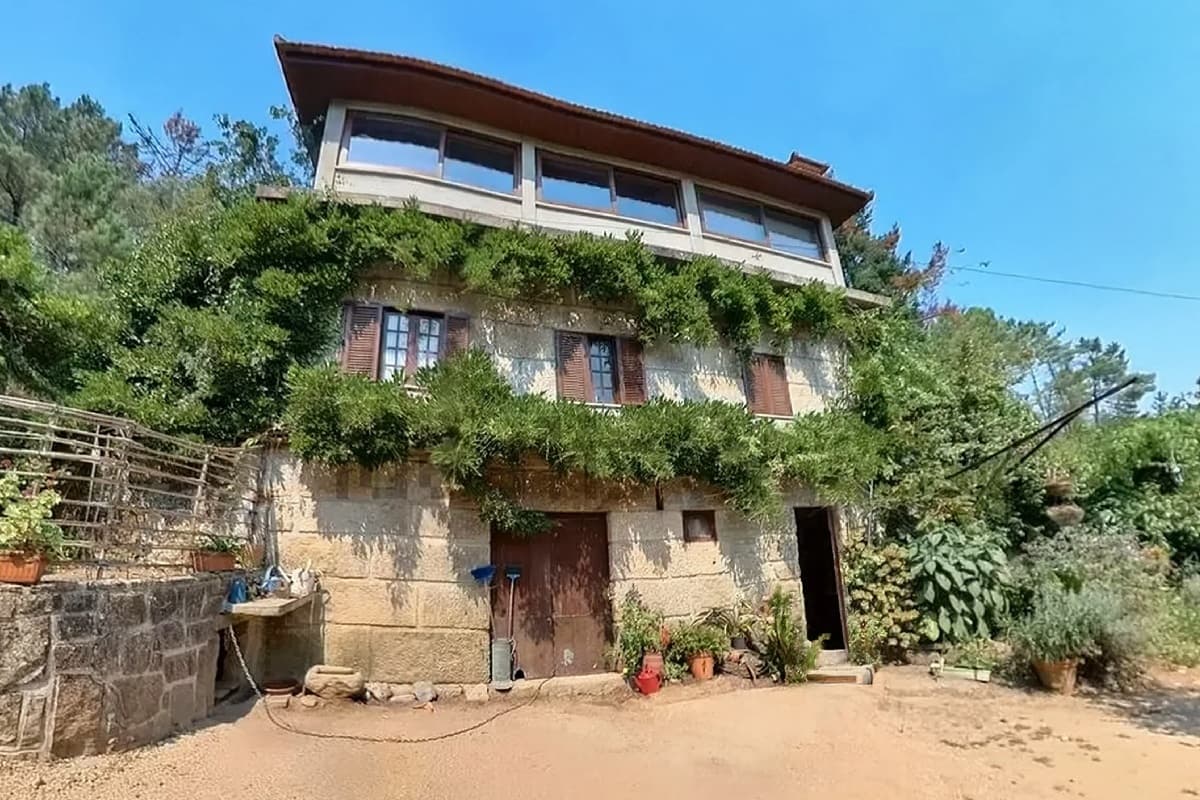 Before
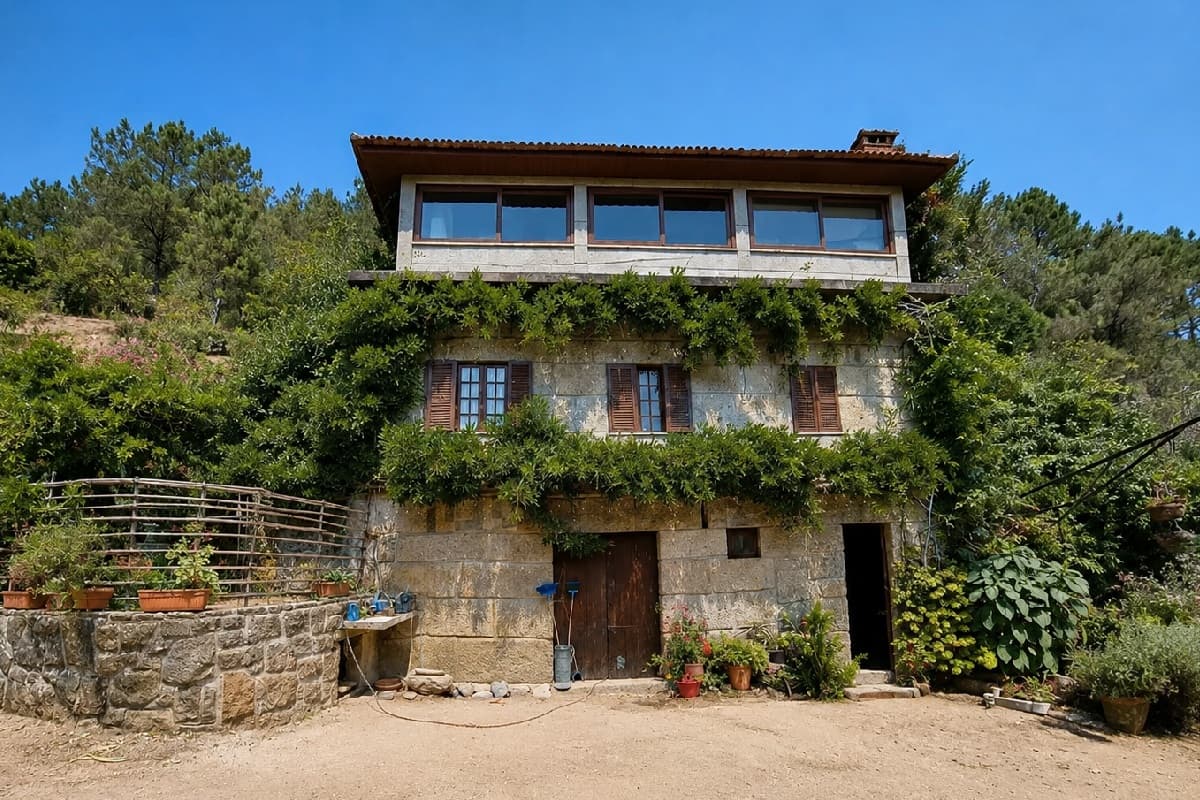 After
AfterWhat gets edited in a listing photo
Most listing photos go through the same short list of edits. Knowing the list matters, because each service prices some of them and quietly skips others.
- HDR blending: merging several exposures so windows and walls both keep detail.
- Color and exposure: white balance, brightness, contrast.
- Perspective and lens correction: straight verticals, no wide-angle bulge.
- Sky replacement: a clear sky instead of a grey one.
- Day to dusk: a twilight look from a daytime photo.
- Object removal and decluttering: cars, bins, clutter, furniture.
- Virtual staging: furniture added to an empty room.
The first three are routine fixes. The rest change what the photo shows, and several boards want them labelled. See the disclosure guide.
Four ways to get it done
1. Do it yourself with software
Desktop software gives you total control and costs you time. It suits a photographer who edits daily and rarely suits an agent with five minutes. We don't list a price, because plans change often. Check the vendor.
2. Send it to human editors
You upload files and get edited files back, usually within a day. Pixflows lists HDR editing from $1.20 an image with 24-hour turnaround 1. BoxBrownie lists enhancement at €2, day to dusk at €5 and item removal at €5 to €10 2. A person looks at each photo, which helps with difficult rooms.
3. Use AI built for bracketed shoots
These tools merge exposures and apply standard fixes automatically. AutoHDR says you only pay for photos you download. Its free plan covers 10 photos a month, the Standard plan is $265 a month for 500 photos ($0.53 each), and Enterprise is $2,250 a month for 5,000 photos ($0.45 each) 3. Fotello lists editing at $0.50 a photo pay as you go, and twilight or staging at $1 each 4.
4. Use one-click generative fixes
A generative tool doesn't merge exposures. It takes one photo and rebuilds part of it: a new sky, a room without clutter, a room with furniture. PROMOREALTOR does this at 1 credit (€1) a photo with no subscription: sky, light, perspective and enhancement, decluttering and staging.
Prices side by side
| Service | Type | Price we read | Billing |
|---|---|---|---|
| Pixflows | Human editors | HDR from $1.20, day to dusk from $3, virtual furniture from $20 1 | Per image |
| BoxBrownie | Human editors | Enhancement €2, day to dusk €5, item removal €5 to €10, staging €30 2 | Per service |
| AutoHDR | AI for bracketed shoots | $0.53 a photo (Standard, $265 a month for 500) or $0.45 (Enterprise); free 10 photos a month 3 | Monthly plan, pay for downloads |
| Fotello | AI plus delivery tools | Editing $0.50 a photo, twilight or staging $1 each, pay as you go; per-listing plans from $16 4 | Pay as you go or per listing |
| PROMOREALTOR | One-click generative fixes | 1 credit (€1) a photo; 200 credits 10% cheaper, 500 credits 20% cheaper | Pay as you go, no subscription |
Prices read on 2026-10-09. Several vendor pages show "$" without naming the currency. BoxBrownie's page showed euros.
What a 25-photo listing costs
Say a listing has 25 photos and each gets a basic edit. This is arithmetic on the prices above, not a quote.
| Approach | Cost for 25 photos | Notes |
|---|---|---|
| Pixflows, HDR editing | $30 | 25 × $1.20; add $3 per day-to-dusk photo |
| BoxBrownie, enhancement | €50 | 25 × €2 |
| AutoHDR on the Standard plan | $13.25 | 25 × $0.53, but the plan is $265 a month for 500 photos. The free plan covers 10 photos a month |
| Fotello, pay as you go | $12.50 | 25 × $0.50 |
| PROMOREALTOR, a fix on every photo | €25 | In practice you fix only the weak photos: 8 fixes is €8 |
These aren't the same product. HDR tools merge brackets. PROMOREALTOR fixes and generates from single photos.
Turnaround and quality control
Human editors take hours to a day. Pixflows delivers standard bracket sets within 24 hours of your last upload, and bigger batches or add-ons take 24 to 48 hours 1. AI tools take seconds to minutes. Speed is the AI advantage. Judgement is the human one.
With any generative edit, compare the result with your original. In our own examples the AI sometimes tidies things you never asked it to touch. The before and after guide shows what to look for.
Test a service in 30 minutes
Don't choose from a price list. Send the same three photos to each service you're considering and compare.
- A dark interior with a bright window. Does the window show a view, and do the walls keep detail?
- A grey exterior. Is the sky believable, and does the building stay as it was?
- A cluttered or empty room. Is the removal or the furniture clean, with no leftover shadows or odd edges?
Look at each result next to the original at full size, not on a phone, and time the turnaround. Free tiers make this cheap: AutoHDR lists 10 free photos a month 3, BoxBrownie offers a free account with 3 enhancements and 1 day to dusk 2, Fotello lists a free plan 4, and PROMOREALTOR gives a free credit on signup.
What each type cannot do
| Type | Strong at | Weak or absent |
|---|---|---|
| Human editors | Difficult rooms, judgement, brackets, staging by designers | Speed at 2 a.m., price per photo at volume |
| AI for bracketed shoots | Fast, cheap HDR merging at volume | Rebuilding parts of a single photo, such as a sky or clutter |
| One-click generative fixes | Sky, clutter, furniture, perspective from a single photo | Merging brackets, and a human check of every pixel |
| DIY software | Total control | Your time |
Which one fits you
- You shoot brackets every week: an HDR tool such as AutoHDR or Fotello is cheapest per photo.
- You hand over whole listings and want a person to check them: a human service such as Pixflows or BoxBrownie.
- You have single photos with a grey sky, a messy room or an empty room: generative fixes at PROMOREALTOR.
- You need flyers and video too: one wallet covers them, with PHOTO LISTING free and VIDEO LISTING at one credit an export.
Privacy and ownership
Ask every service the same two questions: do you keep my photos, and do you train models on them? At PROMOREALTOR you keep full ownership of every photo, original and edited. A photo goes only to the AI provider needed to make that one edit, is never added to a public portfolio, and isn't used to train AI models unless you separately opt in. You can ask for any image to be deleted.
Disclosure and originals
Keep every original. CRMLS wants the unaltered original immediately before or after any altered image 5, plus a label in the photo description. Sky replacement, object removal and staging are the edits most likely to need it. The full routine is in our disclosure guide.
Frequently asked questions
How much does real estate photo editing cost per photo?
On the pages we read, human editors list about $1.20 to $2 a photo for HDR and enhancement, AI tools for bracketed shoots about $0.45 to $0.53, and PROMOREALTOR charges 1 credit (€1) for a generative fix.
What is the difference between HDR editing and AI generative editing?
HDR editing merges several exposures of one scene. Generative editing rebuilds part of a single photo, such as the sky or the furniture. They solve different problems.
Do I need a subscription?
Not always. Fotello and PROMOREALTOR are pay as you go. AutoHDR and some staging tools bill monthly.
Is AutoHDR or Fotello better for a single listing?
For one listing the simplest choice is pay as you go. Fotello lists photo editing at $0.50 a photo pay as you go 4, while AutoHDR lists a free plan with 10 photos a month and paid plans that start at 500 photos a month 3. AutoHDR is built for volume.
Can AI replace a human photo editor?
For standard fixes at volume, often yes: it's faster and cheaper. For difficult rooms, mixed lighting or a client who wants a person to check every frame, a human service such as Pixflows or BoxBrownie is still the safer pick.
Do these services work with phone photos?
HDR tools expect bracketed exposures from a camera. PROMOREALTOR works on single JPG, PNG or WEBP photos up to 25 MB. RAW files aren't supported, so export to JPEG first.
How long does photo editing take?
A human service takes about a day: Pixflows delivers standard bracket sets within 24 hours 1. AI tools take seconds to minutes. PROMOREALTOR takes about 30 seconds a photo.
Should I keep my original photos?
Yes. Several MLS rules require the unaltered original beside an altered image 5.
Sources and how we checked
Prices and rules were read on the pages linked below on 2026-10-09. Vendors change prices often and some pages localise by country, so confirm on the vendor's page before you buy. Several price comparisons online are written by vendors; we use vendor pages for vendor prices and say when a figure comes from a vendor's own blog. This guide is information, not legal advice.
- Pixflows: Real estate HDR editing service Prices shown in $.
- BoxBrownie: Pricing The page we read showed euros and may localise by country.
- AutoHDR: Pricing Prices shown in $, currency not named.
- Fotello: Pricing Currency not named.
- CRMLS: Digitally Altered Image Guidance and FAQs (California AB 723 and CRMLS Rule 11.5.2) California Regional MLS knowledge base.
Keep going
Photo editing
Replace the sky, fix perspective, relight, declutter and enhance listing photos in about 30 seconds. €1 a photo, no subscription, no editor to learn.
Virtual staging
Furnish an empty room from a photo in about 30 seconds, or restyle an occupied one in nine styles. €1 a photo, no subscription.
Cheap alternatives
Five cheaper ways to a professional-looking listing, with 2026 prices: phone shots plus fixes, virtual staging, a free ad builder, a photo reel, when to hire.
Pricing
One credit is €1 and one photo edit is one credit. Packs from 10 to 500 credits, 10% off at 200 and 20% off at 500. No subscription.