
Declutter Real Estate Photos and Remove Furniture
Take things out of the picture: furniture, clutter, cars, cables. One photo, one press of RUN, about 30 seconds, one credit (€1).
1 credit (€1) a photo. No subscription.
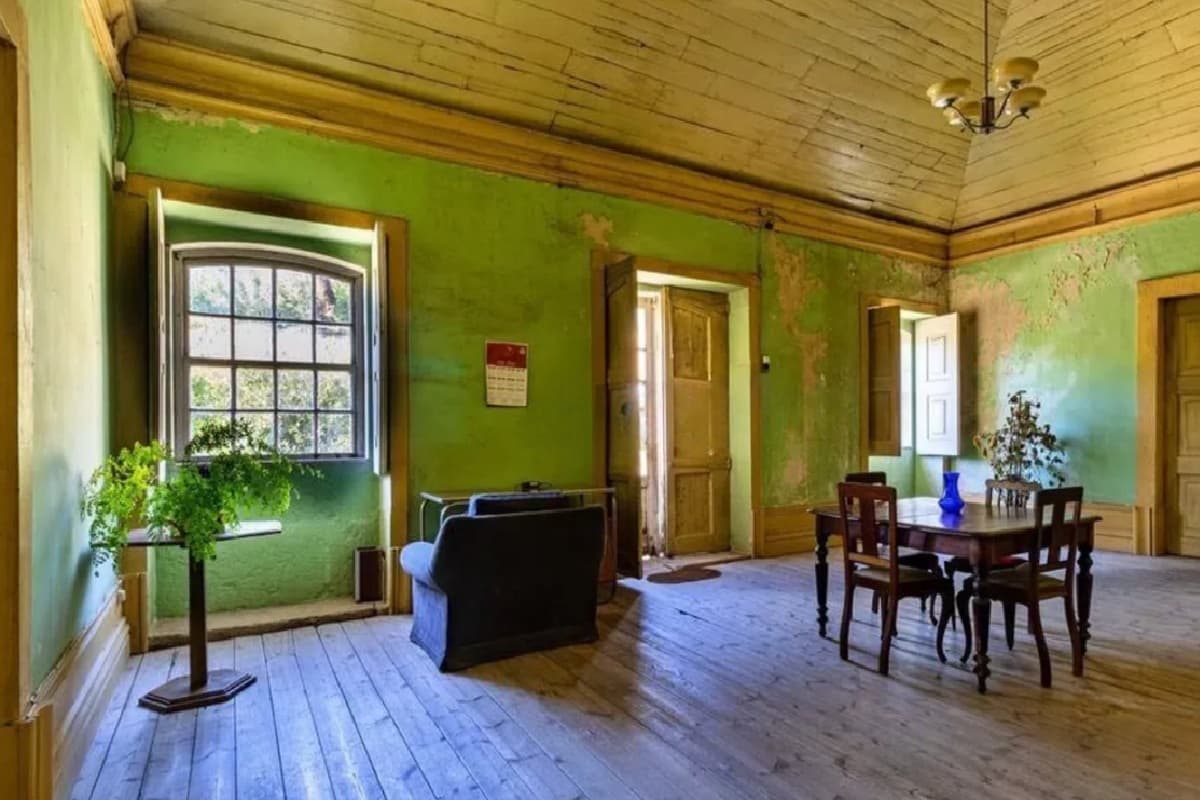 Before
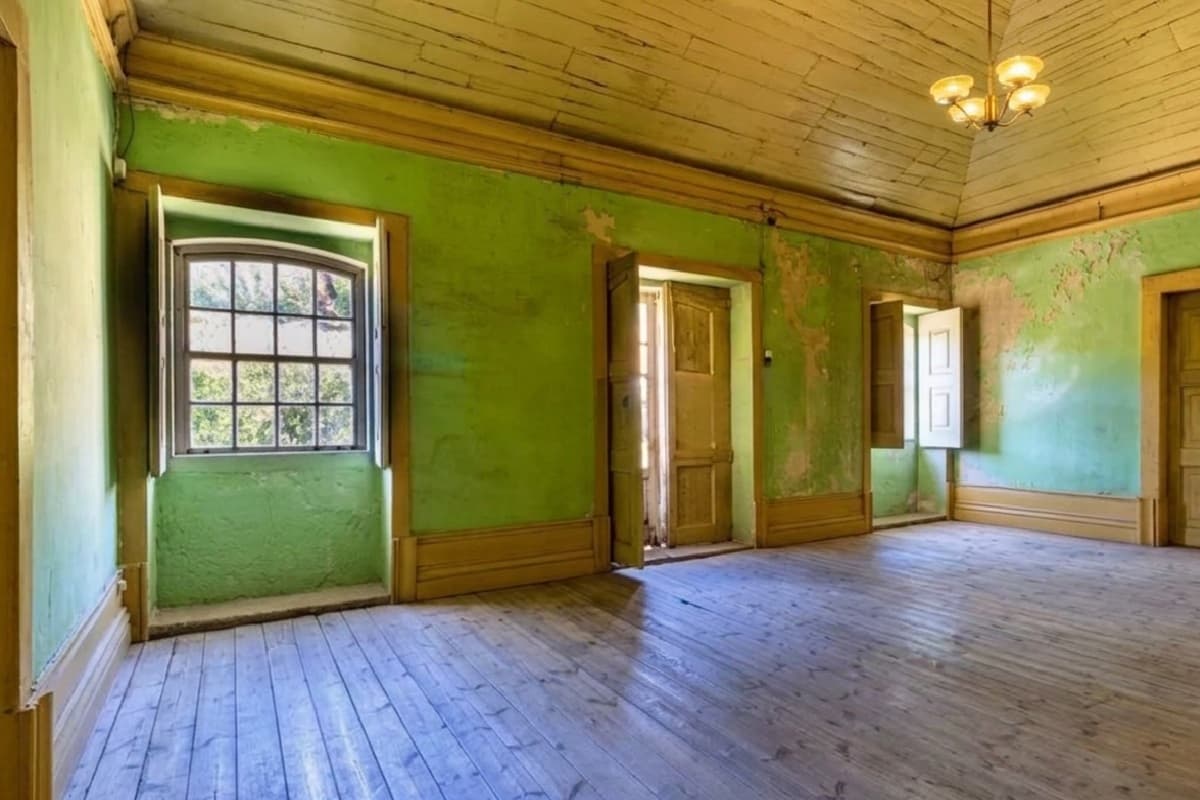 After
AfterRemove furniture from a listing photo
Empty This Room removes all the furniture and leaves a clean room: useful when the seller's things do not help the sale, or before virtual staging. Declutter This Room is the lighter option: it clears the mess and keeps the room tidy and minimally furnished.
Look at the example. The armchair, the table and chairs, the plants and the calendar are gone, and the walls, windows and floorboards are kept. Compare closely anyway: in this result the light fitting was redrawn slightly. Always check a result against the original.
Declutter the outside: cars, bins and cables
Declutter Exterior removes what blocks the house from the street: parked cars, bins, cables. The facade stays as photographed.
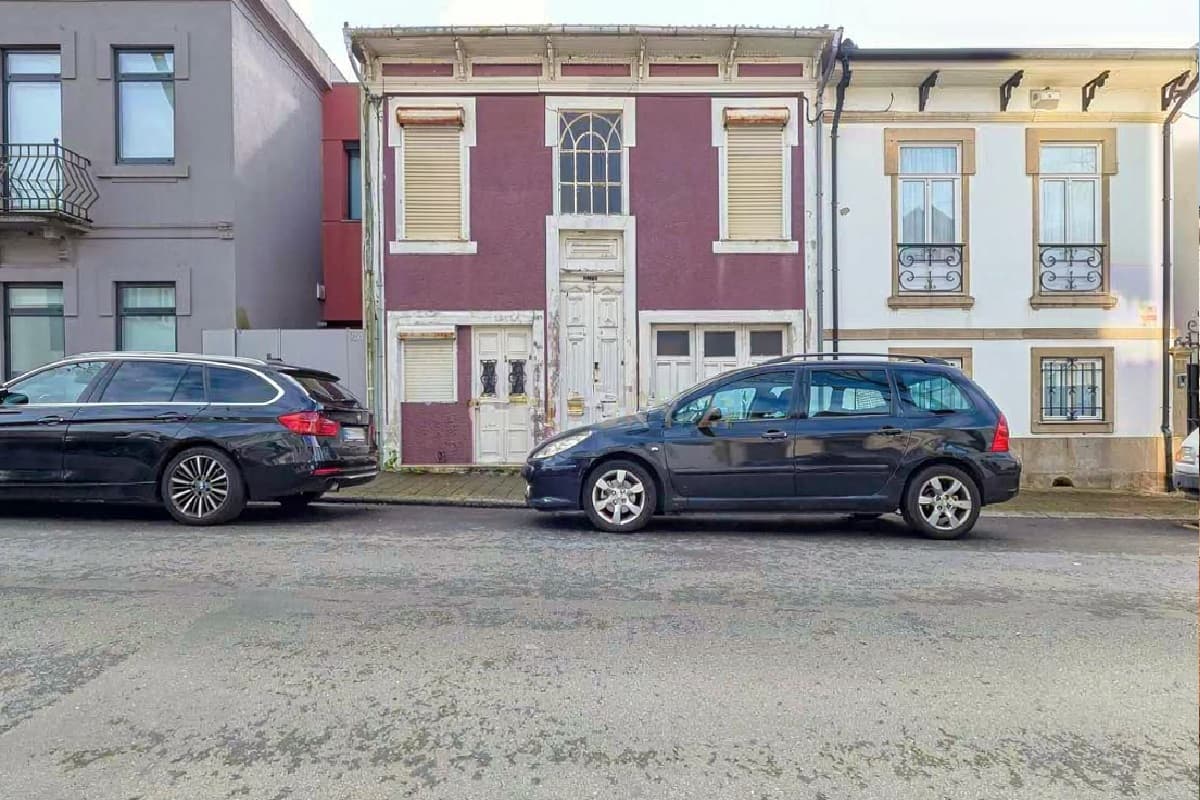 Before
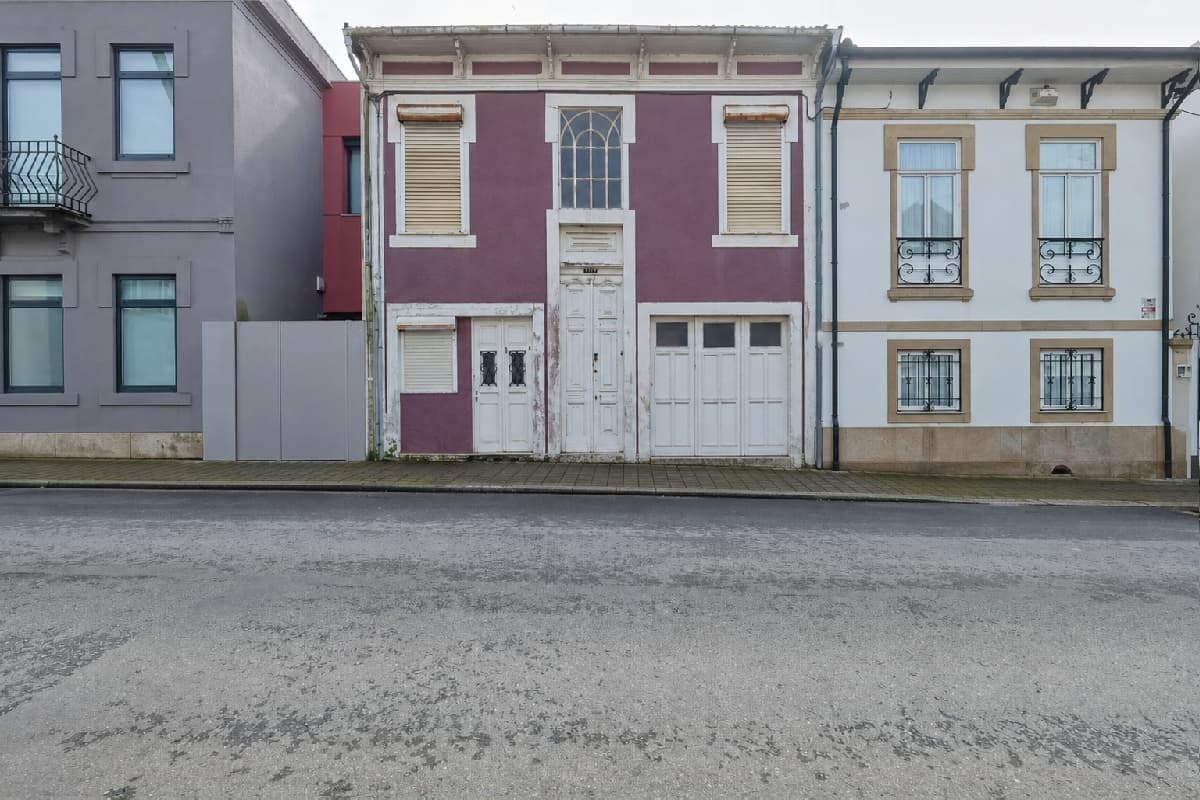 After
AfterMirrors, gardens and the photographer
Mirror Miracle removes the photographer or the camera from a mirror reflection. Garden Fix turns an overgrown yard into a kept garden.
Remove, then add
The usual order is empty the room, then stage it. Both steps are one credit, so a staged empty room costs two credits. Remove and add are separate tools because they are different jobs.
What removal cannot fix
Decluttering presents the property at its best, not as something it is not. Do not remove permanent features, damage, a neighbour's problem or anything a buyer is entitled to see. Check your MLS rules on AI-altered photos; the "Mark as edited with AI" option labels the result.
Frequently asked questions
What if an edit fails, or I do not like the result?
A failed edit is refunded to your credit balance automatically. AI output is not guaranteed to be perfect on the first run: if you simply want another version, run it again at the tool's normal price.
Which files can I upload?
JPG, PNG or WEBP, up to 25 MB each. RAW files are not supported, so export to JPEG first. Results come back as full-resolution PNG.
Are my photos safe? Are they used to train AI?
You keep full ownership of every photo, original and edited. A photo goes only to the AI provider needed to make that one edit. It is never added to a public portfolio and never used to train AI models unless you separately opt in. You can ask for any image to be deleted at any time.
Do I have to disclose AI edits or virtual staging?
Rules depend on your MLS, portal and country, and many require virtually staged or AI-altered images to be disclosed. Check yours before publishing. PROMOREALTOR has a "Mark as edited with AI" option that puts a label on the image.
How much does it cost?
One credit is €1 and one photo edit costs one credit. There is no subscription: buy a pack (10, 20, 50, 200 or 500 credits) or top up any amount from €1. VAT is added at checkout. See the pricing page for every tool.
Keep going
Virtual staging
Furnish an empty room from a photo in about 30 seconds, or restyle an occupied one in nine styles. €1 a photo, no subscription.
Photo editing
Replace the sky, fix perspective, relight, declutter and enhance listing photos in about 30 seconds. €1 a photo, no subscription, no editor to learn.
Remove furniture from photos
Five ways to remove furniture and clutter from listing photos, what each costs, how to check the result, and what CRMLS and ARMLS say you must label.
AI photo disclosure rules
California AB 723, CRMLS and ARMLS rules for AI-edited and virtually staged listing photos: what counts as altered, what to label, and how to keep originals.